 PromptMaster
Guides
PromptMaster
Guides
Paste a rough prompt. Get a grade and the rewrite.
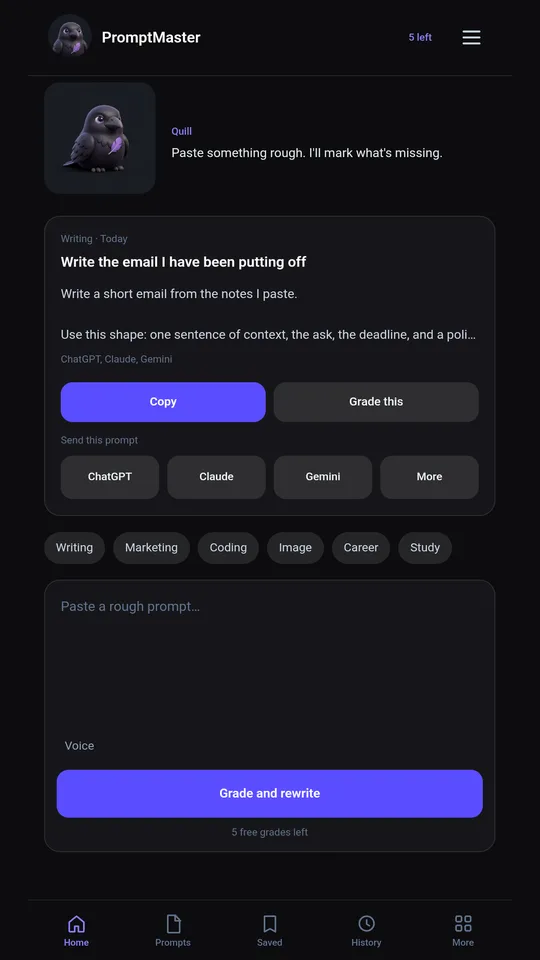
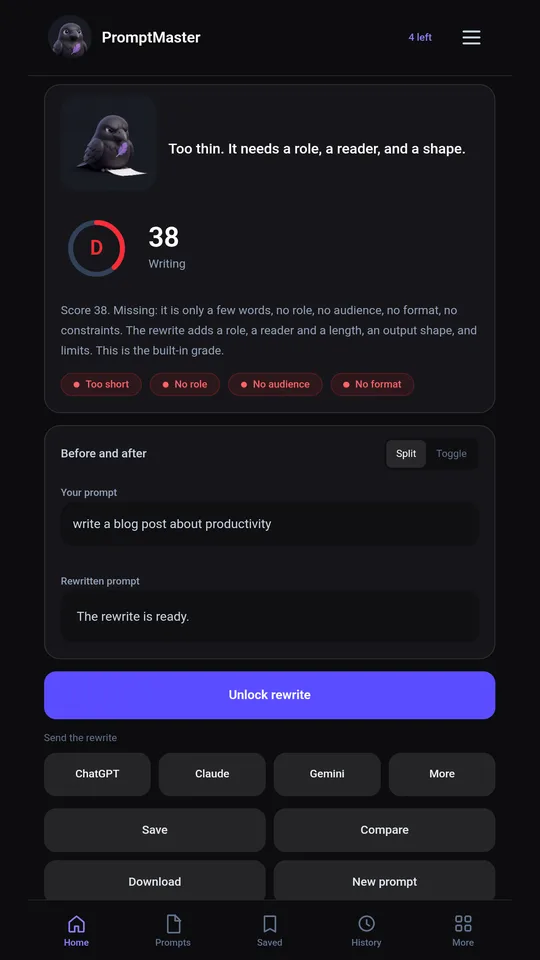
Quill reads your prompt, scores it, and names what is missing: who it is for, the format, the limits. Then it writes a stronger version you can send to ChatGPT, Claude, or Gemini.
Get it on Google PlayFree on Android. No API key needed for your first grades.

How it works
- Paste the prompt you already wrote. A one-liner is fine.
- Get a score and the gaps. Quill's notes say what the model would have to guess.
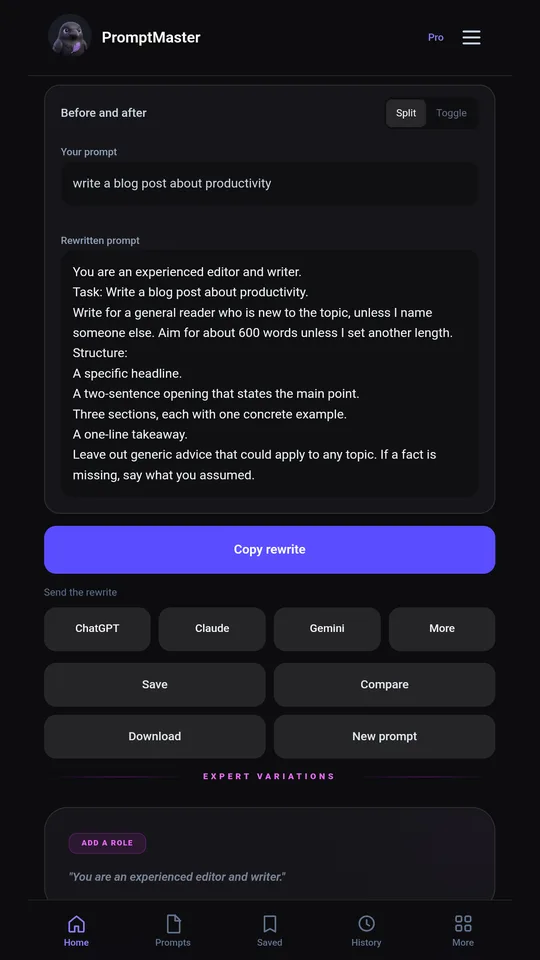
- Send the rewrite. Open it in ChatGPT or Claude, copy it into Gemini, or share it anywhere.
See it
Free
- Five grades to start, plus more by watching a short ad
- The score and what is missing
- A prompt of the day, about 30 ready prompts, saved prompts, and history
Pro
- The full rewrite, ready to copy
- Send to ChatGPT, Claude, Gemini, or any app
- Quill's fixes you can add in one tap
- Unlimited grades and no ads
Google Play shows the price before you pay.
Guides
Questions
What is PromptMaster?
An Android prompt optimizer and grader. Paste a prompt you wrote, get a score and what is missing, and with Pro an improved version to send to ChatGPT, Claude, or Gemini.
Is it free?
Free to install. The first five grades are free, with more after a short ad. Pro unlocks the rewrite, sending, unlimited grades, and no ads.
Do I need an API key?
No. Grading works without one. You can add your own Gemini key if you want Gemini to grade; it stays on your phone.
Does it work with ChatGPT, Claude, and Gemini?
Yes. ChatGPT and Claude open with the rewrite filled in. Gemini gets a copy, because it does not accept a prefilled link.